
About Tina Olivier

This author has not yet filled in any details.
So far Tina Olivier has created 43 blog entries.

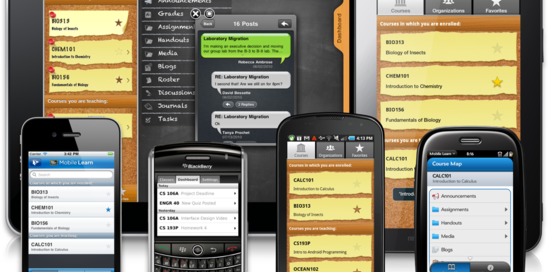
is your website Mobile Device Ready?

Did you see the commercials on TV about #SmartphoneSearches? 80% of the searches are on Google and 50% of those searches are on a SmartPhone or Tablet.  WOW – contact Olivier Websites-R-Us.biz at http://websites-r-us.biz for mobile device help on your website.

Hey! Rankings in Google’s mobile search results have changed on April 21st.

Check here if your site is mobile-friendly.

is your website Mobile Device Ready?

Premier Graphics

Signs and Printing Houston

by

Our Designs are UNIQUE just like

YOUR BUSINESS

Another great web design recently launched by Olivier Websites-R-Us. The services offered provide the best possible online solutions for many different industries along with professional, affordable web designs. All websites are mobile, device ready web designs for many industries

Premier Graphics

WordPress Website Designer

With the many years of website designing experience and with societies using mobile devices instead of01815160-photo-logo-wordpress-vertical.jpg desktop computers, we have found a great website building platform called Word Press. This platform provides the framework for your website and then you choose a template/theme. Our favorite part of Word Press is your main website is your device ready website. What this means, when you make a website change/edit it is made on both the main website and the device ready website at the same time. NO MORE SEPARATE DOMAINS OR WEBSITES required, which will immediately save you money now and over time. This platform is easy to use even for the most timid computer user. Olivier WebSites-R-Us provides WordPress Introduction Training for those adventurers who want to make edits to their Word Press website.


Tina Olivier

WordPress Website Designer

#Hashtag – What is this and How to Use It.

th-107Hashtags turn topics and phrases into clickable links in your posts on your personal Timeline or Page. This helps people find posts about topics they’re interested in. To make a hashtag, write # (the number sign) along with a topic or phrase and add it to your post. For example:

          I just saw the cutest puppy! #

dogs

When you click a hashtag, you’ll see a feed of posts that include that hashtag. You may also see some related hashtags at the top of the page.

Please keep in mind:

  • A hashtag must be written as a single word, without any spaces
  • You can include numbers in a hashtag, but punctuation and special characters (like $ and %) won’t work
  • You can search for a hashtag using the search bar at the top of any page
  • You’ll only see posts that were shared with you
#Hashtag – What is this and How to Use It.

Salute to our Veterans

USS Anzio Coral Sea CVE 57

by

We proudly host this website

TO PAY TRIBUTE TO OUR VETERANS

Another great web design recently launched by Olivier Websites-R-Us. The services offered provide the best possible online solutions for many different industries along with professional, affordable web designs. Mobile, device ready web designs for any industry!

Salute to our Veterans

Houston Auction Company

The Online Auction House

by

Our Designs are UNIQUE just like

YOUR BUSINESS

Another great web design recently launched by Olivier Websites-R-Us. The services offered provide the best possible online solutions for many different industries along with professional, affordable web designs. All websites are mobile, device ready web designs for many industries

Houston Auction Company

Strategic Social Media Marketing

Facebook, Twitter, and Google+ are among the top social networking sites for strategic social media marketing. Each one has its own set of strengths that will help you gain the attention of potential prospects and customers. Our web designs integrates all three, giving you the chance to increase content visibility in the one(s) that work most effectively for your business.

Strategic Social Media Marketing

What is a Favicon?

A favicon (short for “favorites icon” and also known as a page icon), is an icon associated with a particular website or webpage that is displayed in the browser address bar next to a site’s URL. Use your logo’s graphic (bug) to create your favicon. Here is a great website to create an easy favicon. Go to the website “favicon.cc” as this is a tool to create or download favicon.ico icons, that get displayed in the address bar of every browser. Create your favicon for your business.

  1. www.favicon.cc

What is a Favicon?

Is Google making to many changes to Searches?

Do you think Google makes too many changes to its search algorithm and other features?Are results getting better or worse? Leave a comment and let me know what you think.

Everyone knows that Google is constantly changing its algorithm. They’ve said in the past that they make changes every day (sometimes multiple changes). It would appear, however, that the changes Google makes (algorithmic and otherwise) are only getting more rapid.  Reciting Google “We made more than 890 improvements to Google Search last year alone, and we’re cranking away at new features and the next generation of big bets all the time.”

Is Google making to many changes to Searches?

How to switch hosts without having any down time.

How to Transfer Web Hosting Provider to a New One.

Switching to a new host can be a complicated process. Follow our steps to ensure that your move is smooth and painless.

  1. The first step is to join your new host. Make sure to NOT cancel with your old hosting provider, and do not tell them you will be canceling. Keep this a secret from your old host, or they could prematurely terminate your site and cause downtime.
  2. At this point, you should have hosting accounts with two hosting providers (the old and the new one). You will now migrate your entire site from the old host to the new one. This can be done by connecting to the old host’s FTP and downloading all your files, and then by connecting to the new host’s FTP and uploading all your files (maintain the same file and folder structure). If you choose to make HostGator your new host, we may transfer your entire site over free of charge!
  3. You must also backup any databases on the old host (contact the old host for instructions) and upload the backup files to the new host via FTP. You must then restore your databases from those backup files; this can be done via SSH or cPanel’s phpMyAdmin. Emails do not normally transfer, but you can archive your emails from the old host. You can accomplish this by making a POP3 connection to each email address; this way all the old emails are downloaded to your local computer. The new host will not have those old emails, but the new host will be able to get new emails.
  4. If you choose to make HostGator your new host, we may transfer your entire site (files and databases) over free of charge! If your old host used cPanel, we may be able to transfer emails as well.
  5. After you have a copy of your site on both hosting accounts, it is time to change your domain name’s DNS….
  6. After you have all your files on both hosting accounts, it is time to change your domain name’s DNS. Your new host will provide you with the correct name servers (DNS). You may need to contact the new host to find out what DNS settings you will use for your domain name.DNS name servers usually looks like this (replace “yourhostname.com” with your host’s actual domain name):
    ns1.yourhostname.com
    ns2.yourhostname.com

    Once you have the correct DNS, go to the company where you purchased your domain name to make the change. If you purchased your domain name from your host, you usually need to ask them to make the DNS changes for you. You can tell them something similar to, “Hello. My domain with you is _____.___ ; please, change my domain name’s name servers to ns1._______.____ and ns2._______.____ .”

  7. Once your DNS changes have been made, you will need to wait 48 hours (two days) before your site will load from the new host. During this 48 hour period, your DNS is propagating world wide and your site will be randomly loading from either the old host or the new host. Once the two days is complete, your site will only be loading from the new host.
  8. After the 48 hours have passed, your updated DNS will be fully functional. You will now contact your old host and cancel your hosting account with them. If you originally bought your domain name from the old host, do not cancel your domain registration.
How to switch hosts without having any down time.
Go to Top